How it works

Simple for the HSEQ lead. Powerful in an audit.

  1. 01
    Upload and organize your documentation
    Upload PDFs, certification photos and contracts. Sort them by category (Safety, Quality, Environment...) and link them to the company, an asset or a person, with their expiration date.
  2. 02
    Invite your team by site and role
    Invite admins, supervisors and field workers by email. The supervisor manages their site's documents; the field worker views theirs and completes training from their phone.
  3. 03
    Assign training and get confirmation
    Veriox emails each person. They review the material, answer the quiz and sign. You get the record with date, time and IP for the audit.
  4. 04
    Export the audit package
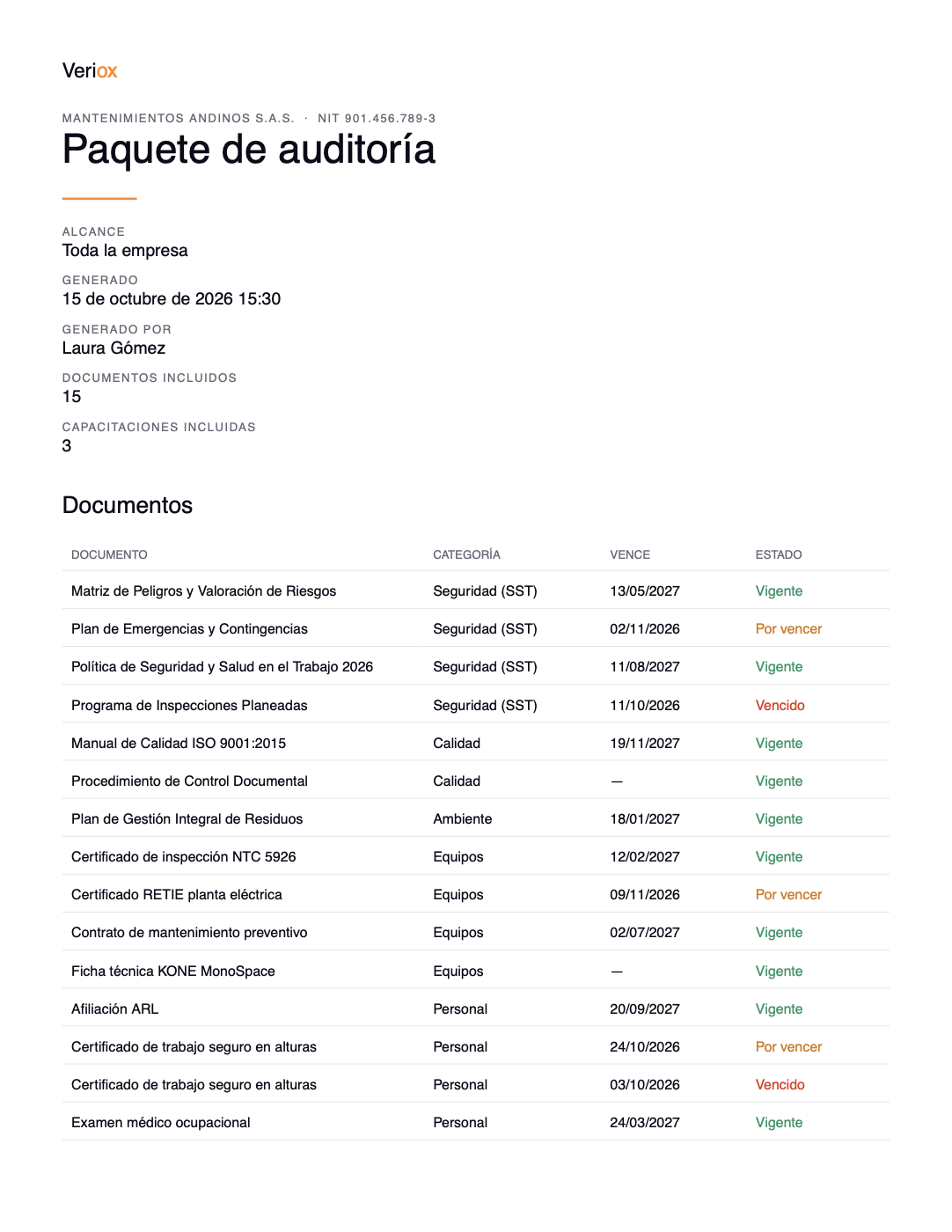
    When the inspector arrives, pick the company, a site or an asset. Veriox builds a .zip with the documents organized in folders and a PDF index with the traffic-light status of each one.

One dashboard for your whole HSEQ team

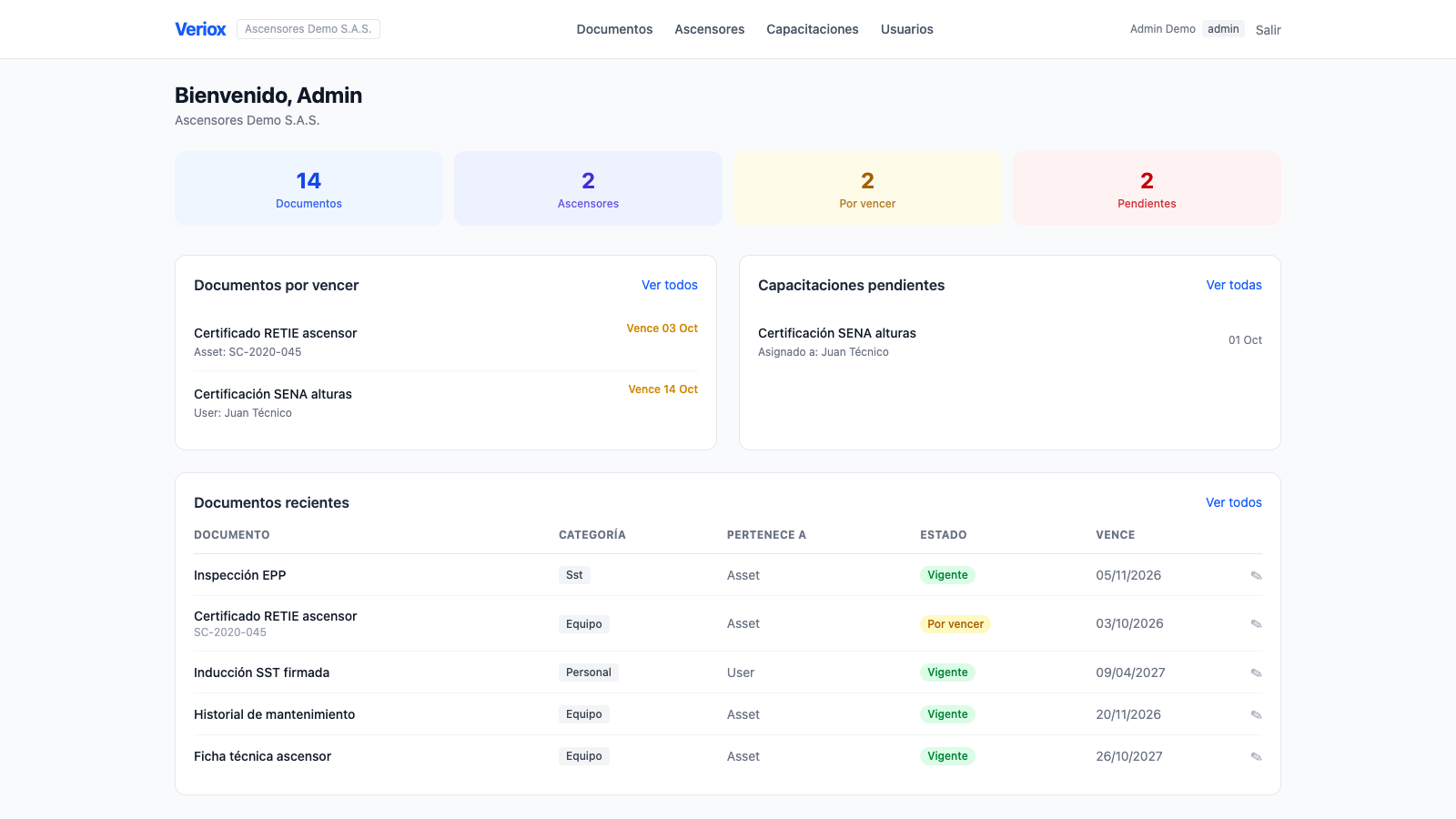
When you sign in you see what's urgent first: what expires soon, which training is pending and how your equipment inspections are going.

  • What expires soon, at the top
  • Share of assets with up-to-date inspections
  • Each role only sees what belongs to their site
andina.app.verioxlabs.com
Veriox main dashboard with expiring documents and pending training
The platform

Three things Veriox takes care of

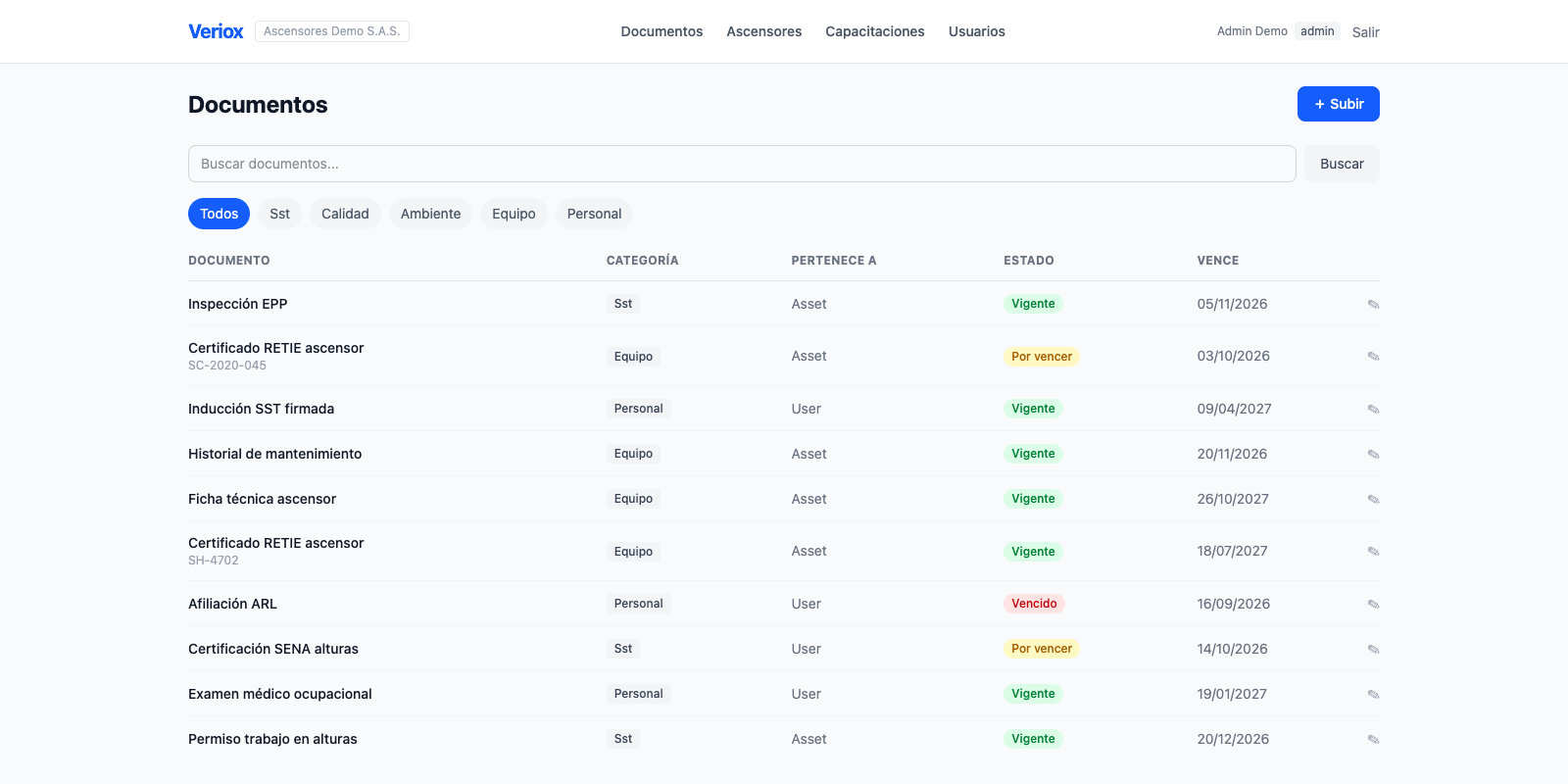
Every document, with its expiration in sight

Upload PDFs and images and link them to the company, an asset or a person. Veriox works out the status of each one and emails you before it expires.

  • Color-coded status: valid, expiring soon and expired
  • Search inside the text of your PDFs
  • Version history for every document
andina.app.verioxlabs.com/documents
Documents list in Veriox with valid, expiring soon and expired statuses

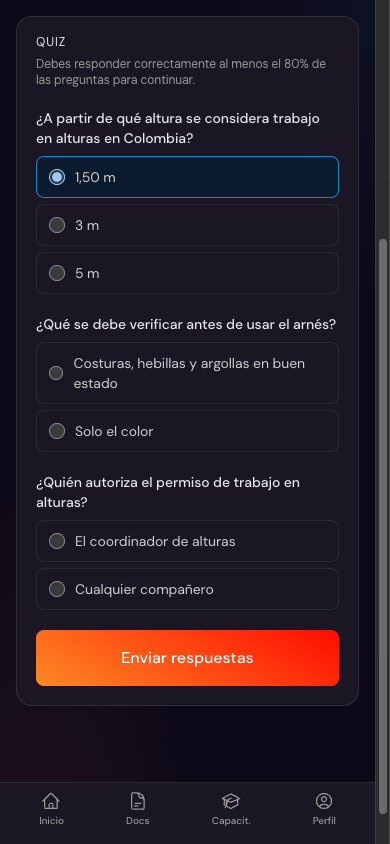
Training with proof it was completed

Assign a procedure, a policy or a video with a due date. Each person reviews it on their phone, answers the quiz and signs. The date, time and IP are recorded and cannot be changed.

  • Material as PDF, video, image or YouTube
  • Scored quiz and on-screen signature
  • Email notice on assignment and reminders before the due date
A training quiz in Veriox, seen on a phone

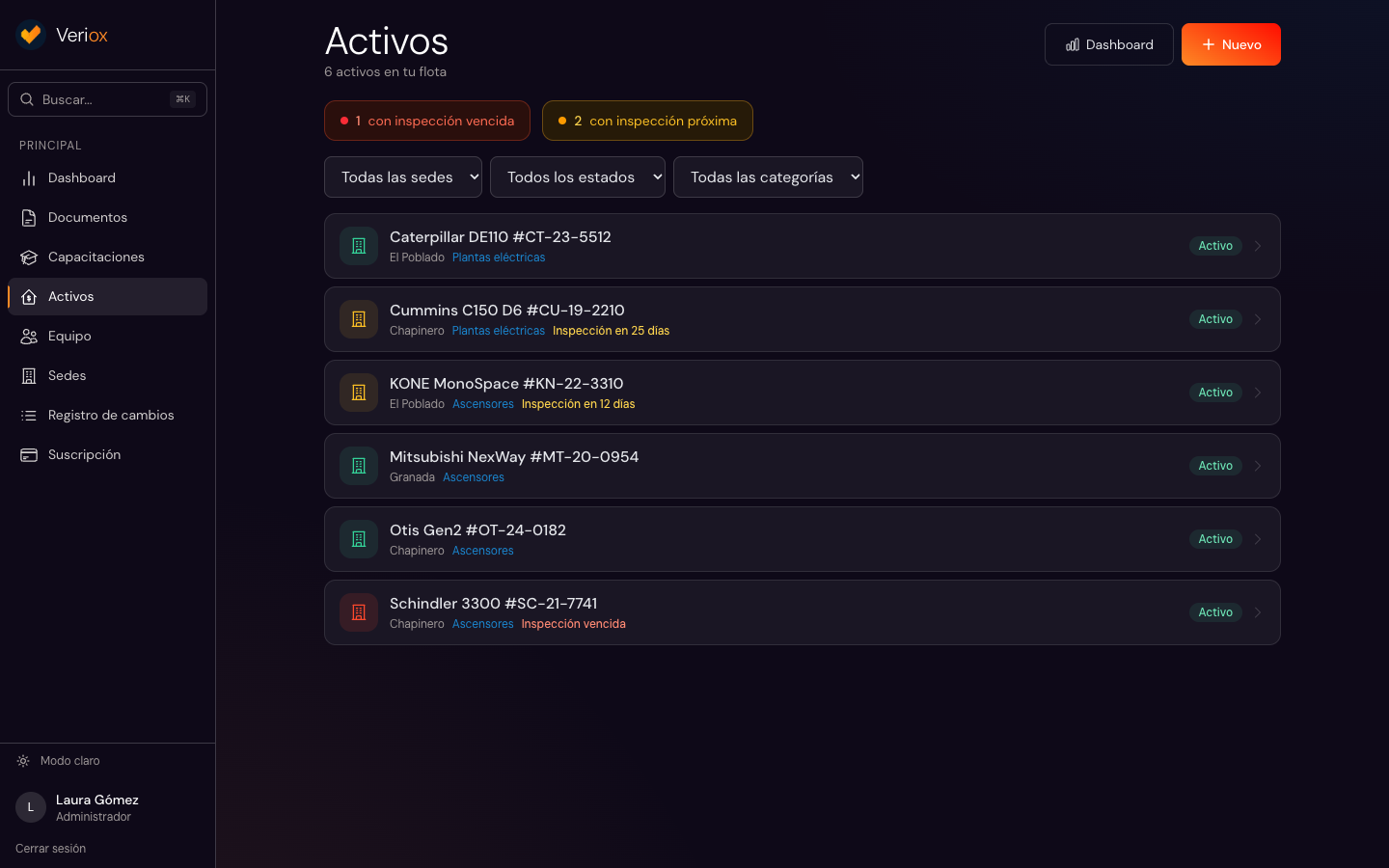
Service history and inspections for every piece of equipment

Register elevators, generators, cranes or boilers by site, with the technical fields of each category. Schedule inspections and get alerts before the next one is due.

  • Categories and fields for your industry
  • Inspection history with results
  • Certificates and manuals in the equipment record
andina.app.verioxlabs.com/assets
Assets list in Veriox with the status of their next inspection

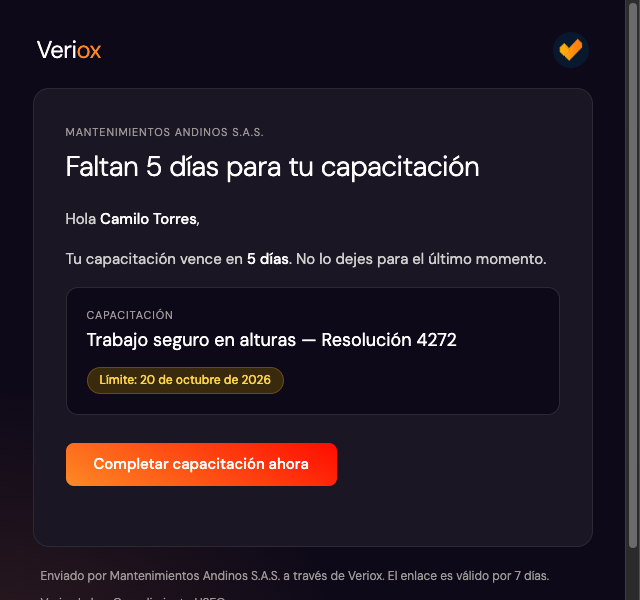
We warn you before anything expires

Admins and supervisors get an email 30, 15 and 7 days before a document or an inspection expires. If something has already expired, the reminder repeats every week until it is resolved.

  • Alerts configurable per user
  • Pending-training reminders for each person
  • A direct link to the document from the email
Veriox email reminding a field worker that their training is due in 5 days

The audit package, in one click

Generate a .zip with every document for the company, a site or an asset, organized in folders, with a PDF index showing the status of each one.

  • Includes training evidence: signatures, confirmation photos and dates
  • Audit log: who created, edited or deleted each document
  • A record of every exported package
PDF index of a Veriox audit package with the status of each document

Your field team, from their phone

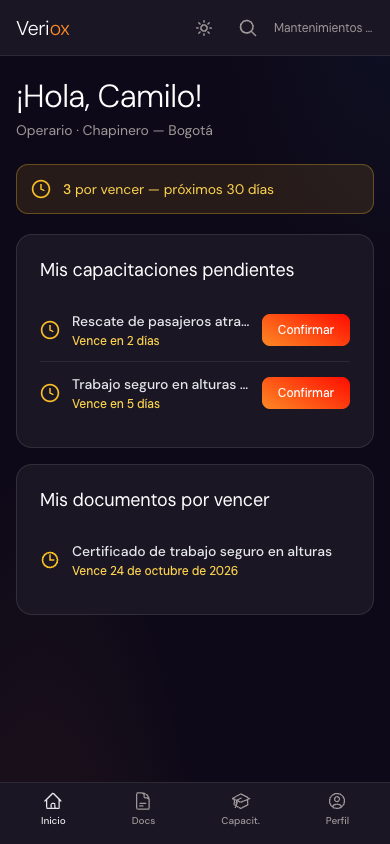
Field workers open Veriox in their phone's browser, with nothing to install. They see their pending training and their site's documents, and open each training from the link sent to their email.

  • Designed for the phone first
  • From the email to the training in one tap, no password typing
  • Native iOS and Android apps: coming soon
A field worker's Veriox home on a phone, with their pending training
Also included

What comes in the box

Search inside PDFs
Find a document by any word in its content, not just its name.
Document versions
Upload the new version of a certificate without losing the history of earlier ones.
Sites and roles
Admin, supervisor and field worker. Each one sees and does only what belongs to their site.
Audit log
Who made each change and when, ready to show in an audit.
Industry templates
Asset categories, technical fields and inspection frequencies ready when you create your account.
CSV export
Download the training follow-up for your own reports.
Coming soon

What we're building

These features aren't available yet. We'll announce them here as soon as they ship.

Coming soon
WhatsApp notifications
Training and expiration notices straight to your team's WhatsApp.
Coming soon
AI-generated HSEQ documents
Risk assessments, work permits and PPE inspections generated from your data.
Coming soon
Automatic categorization
Veriox will suggest the category and expiration of every document you upload.
Coming soon
Supervisor approval
A review flow so supervisors can approve their site's documents.
Coming soon
Invite by phone number
Invite field workers with their phone number, no email needed.
Coming soon
iOS and Android apps
Veriox on the App Store and Google Play, with notifications on the phone.

See your operation inside Veriox

Book a demo and we'll show it to you with data from your industry.